Your 24/7 Chord Tutor
The best way to learn chords and chord progressions isn't to read about them -
the best way is to build them, play them, and hear them. That's why I created these simple yet powerful tools for pianists of all levels and all ages.
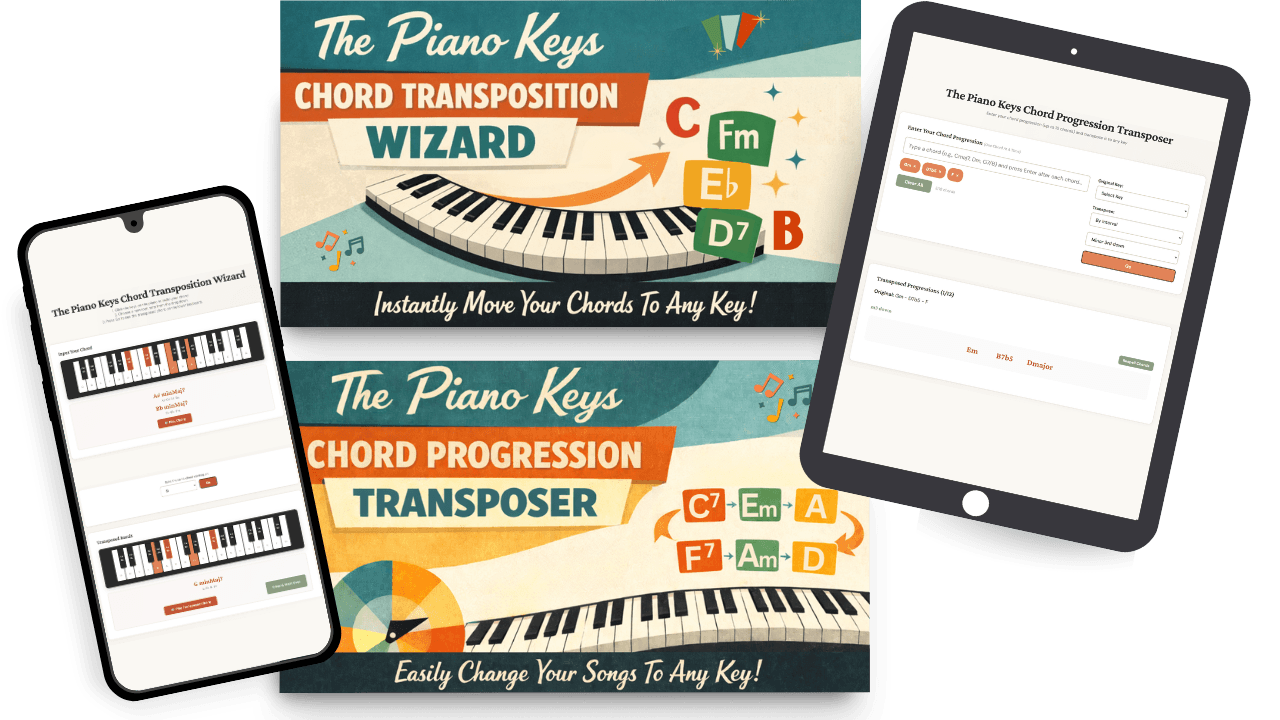
Designed specifically for pianists who are working on mastering chords and chord progressions, these 2 tools help you in 3 ways:
demonstrating the underlying theory of chords
transposing entire chord progressions
acting as on-demand "fact checkers" while you do your chord practice
Use On Any Device
If you're learning chords and want to get feedback on your work, your options are to hire a private piano teacher with deep chord knowledge to tutor you and check your answers in real time, or to use these tools to do exactly that, at a fraction of the cost - and available to you 24 hours a day, 7 days a week.
The Piano Keys
Chord Transposition Wizard
An interactive tool that helps you
develop fluency with chords.
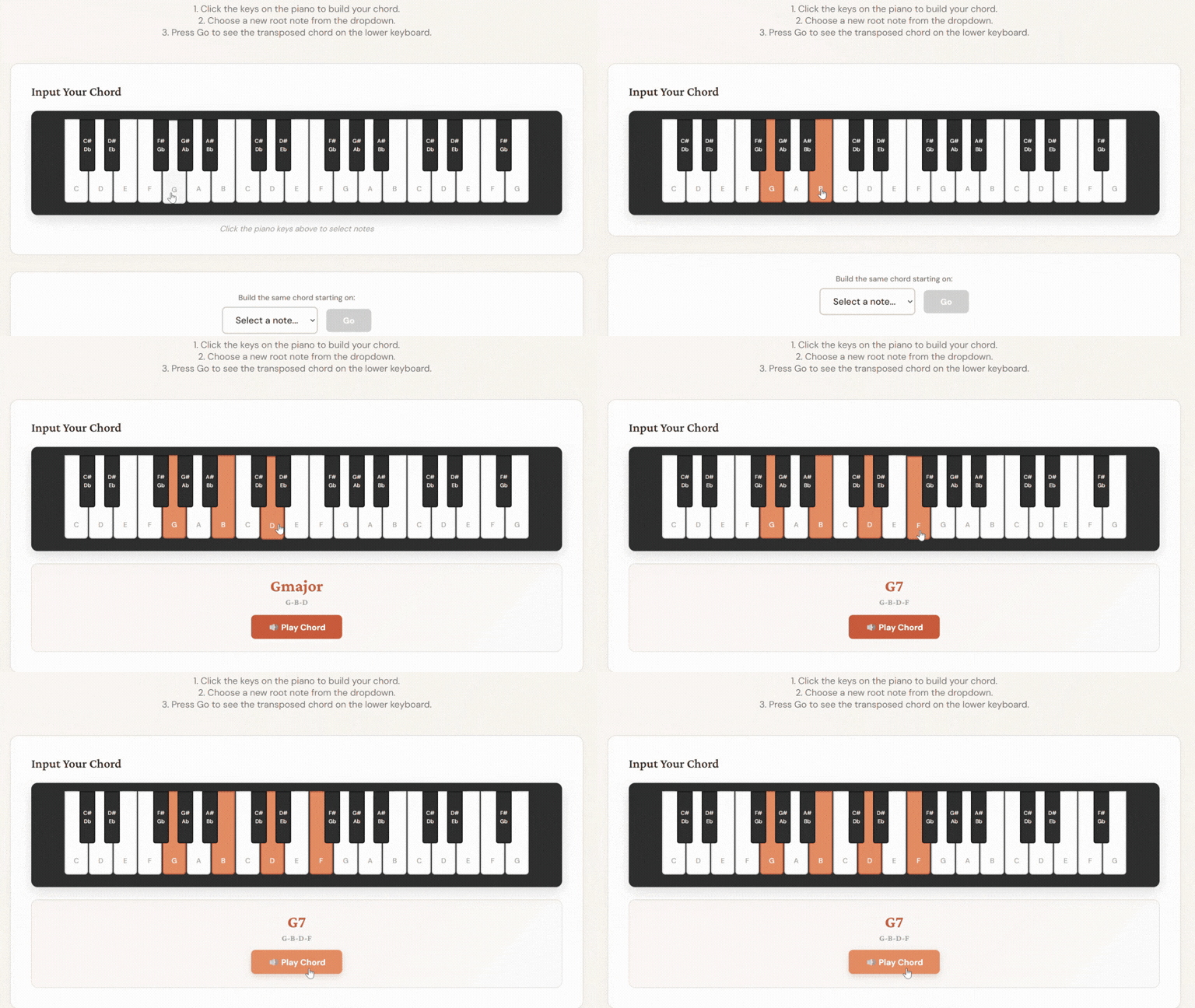
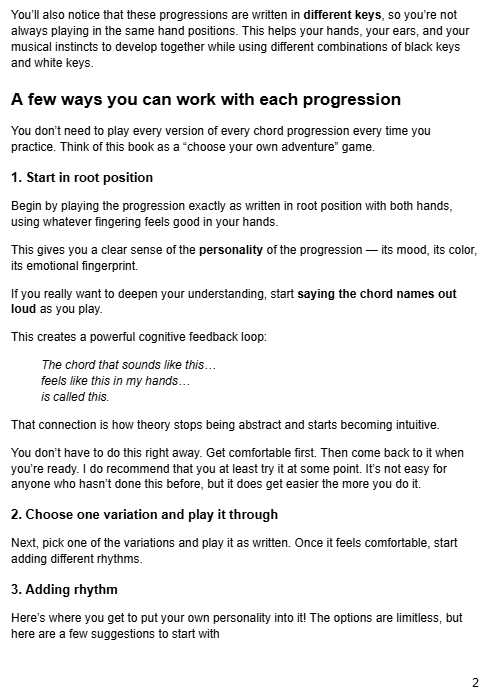
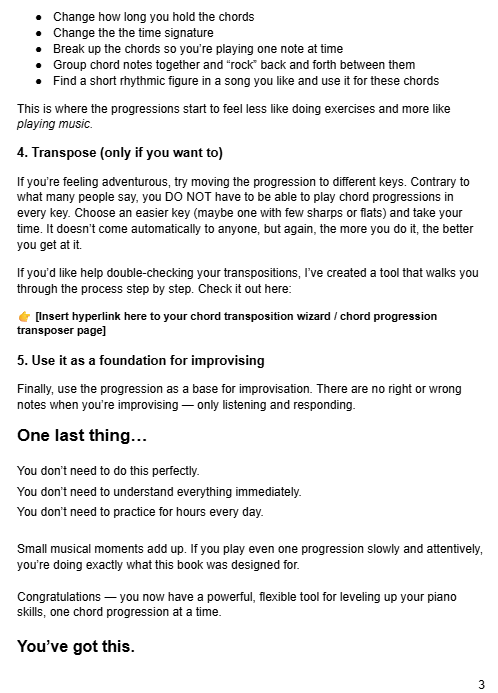
Click the piano keys to build a chord
The Chord Transposition Wizard tells you the name of the chord and what notes are in it
Click the "Play Chord" button to hear the chord
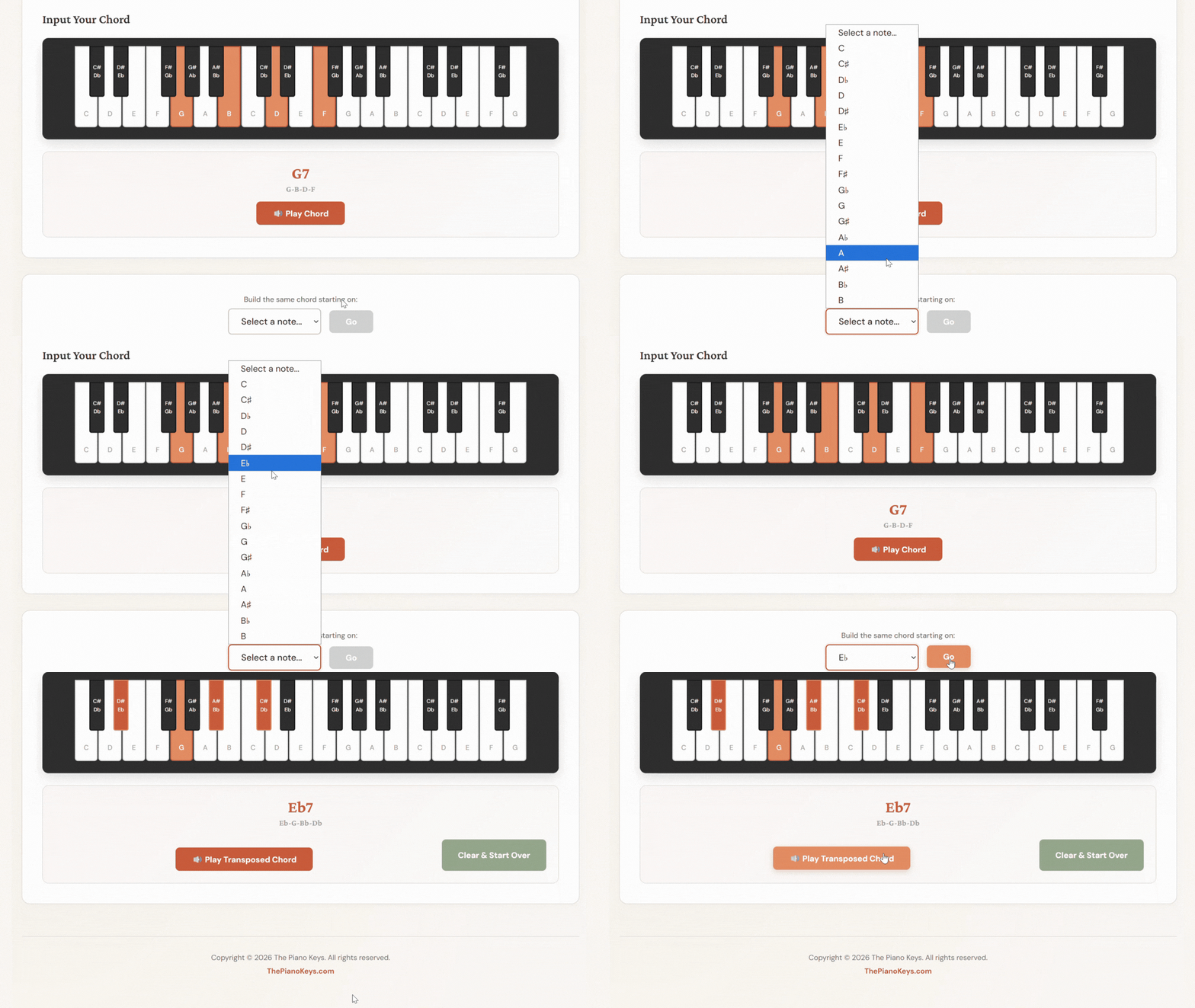
Click the drop-down menu to select the note you want your chord transposed to
The Chord Transposition Wizard scrolls down to show you a keyboard showing your new chord
The name and notes of your new chord are displayed beneath the keyboard
Click the "Play Transposed Chord" button to hear the chord in the new key
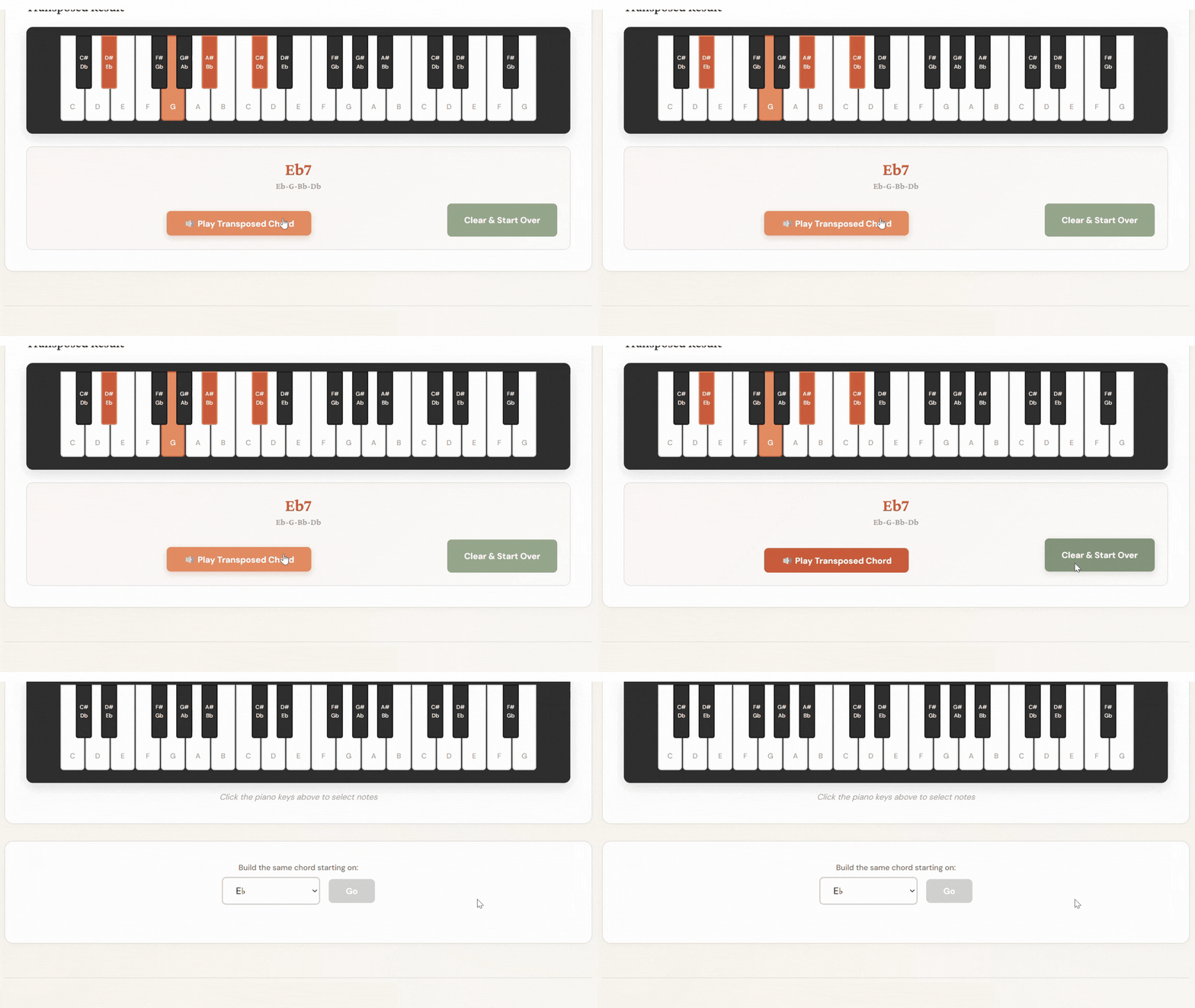
Ready to try out a new chord?
Just click the "Clear & Start Over" button
The Piano Keys
Chord Progression Transposer
The tool that helps you change any chord progression to any key.
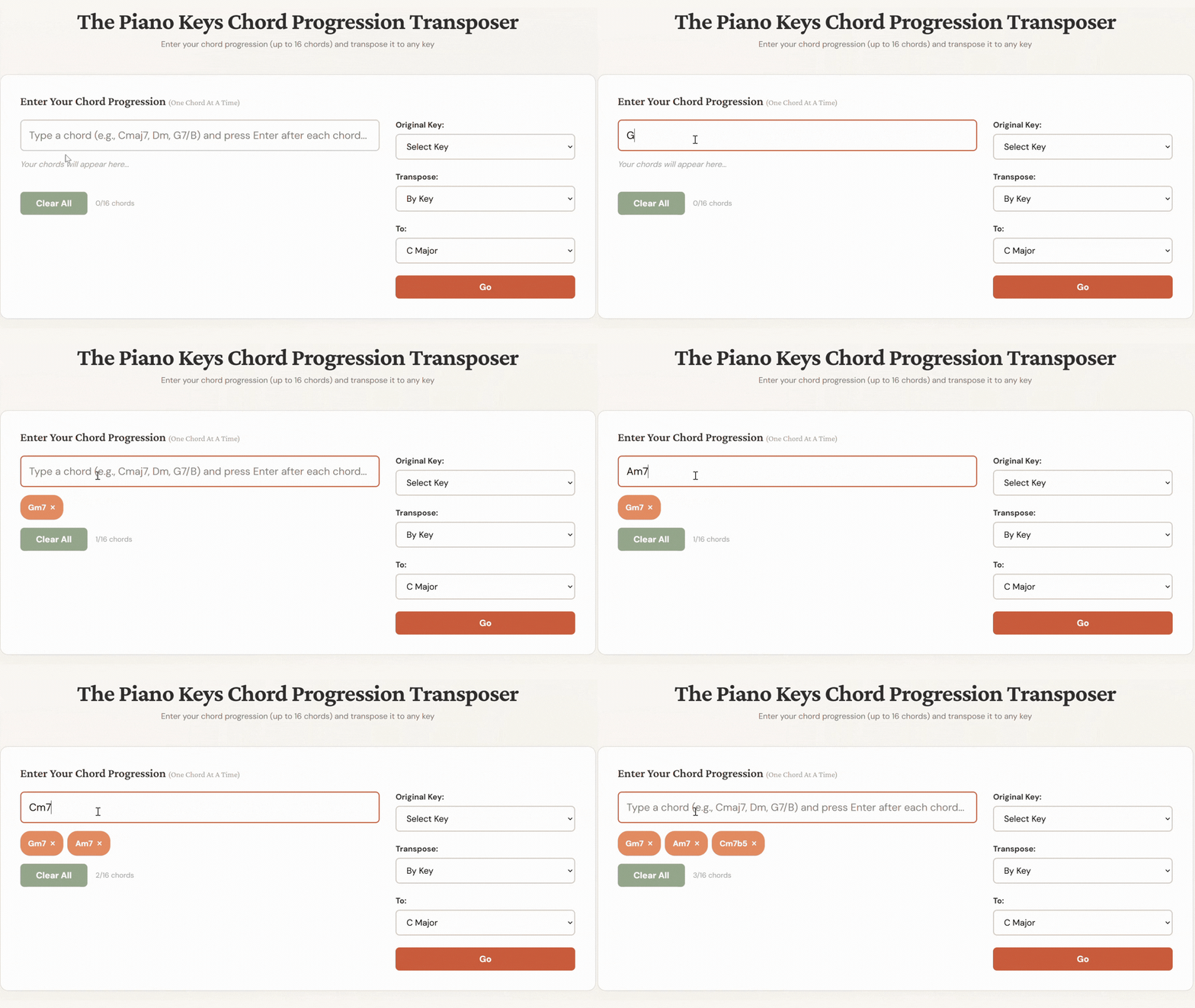
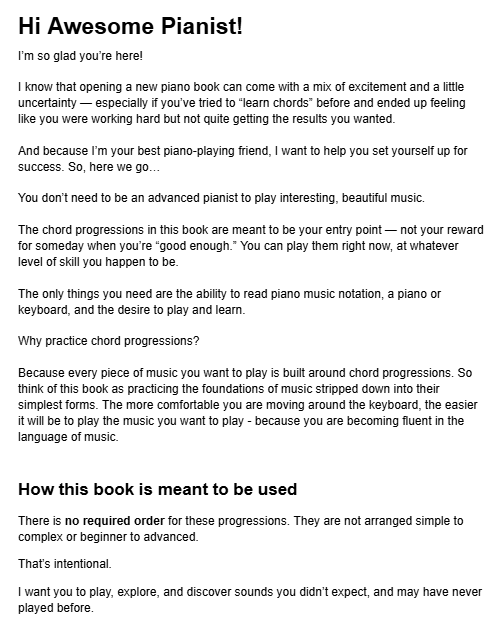
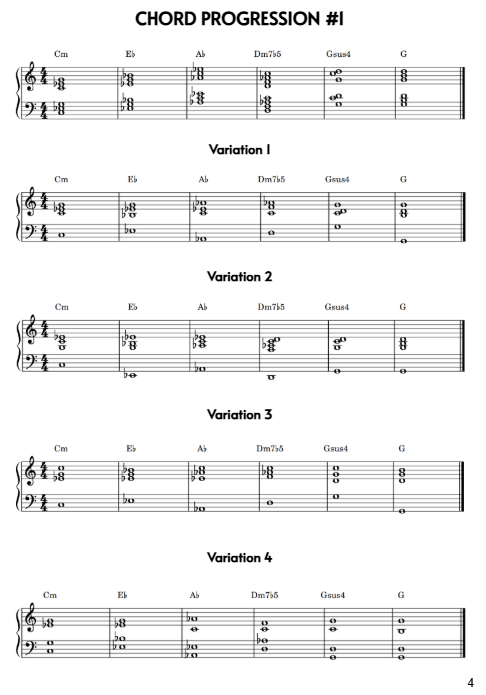
Enter the names of the chords in your chord progression, one at a time
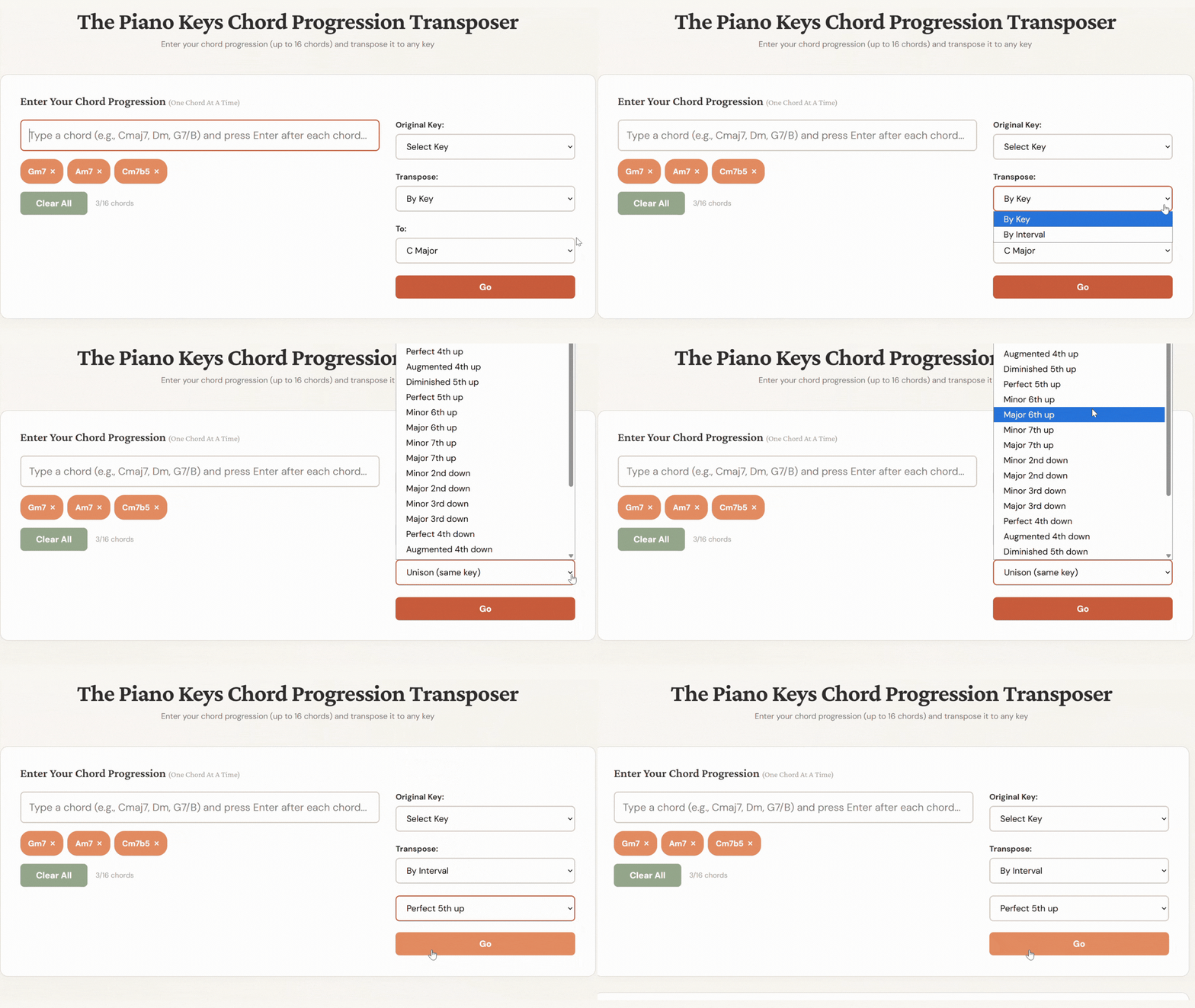
You can transpose by key or by interval
Click "Go"
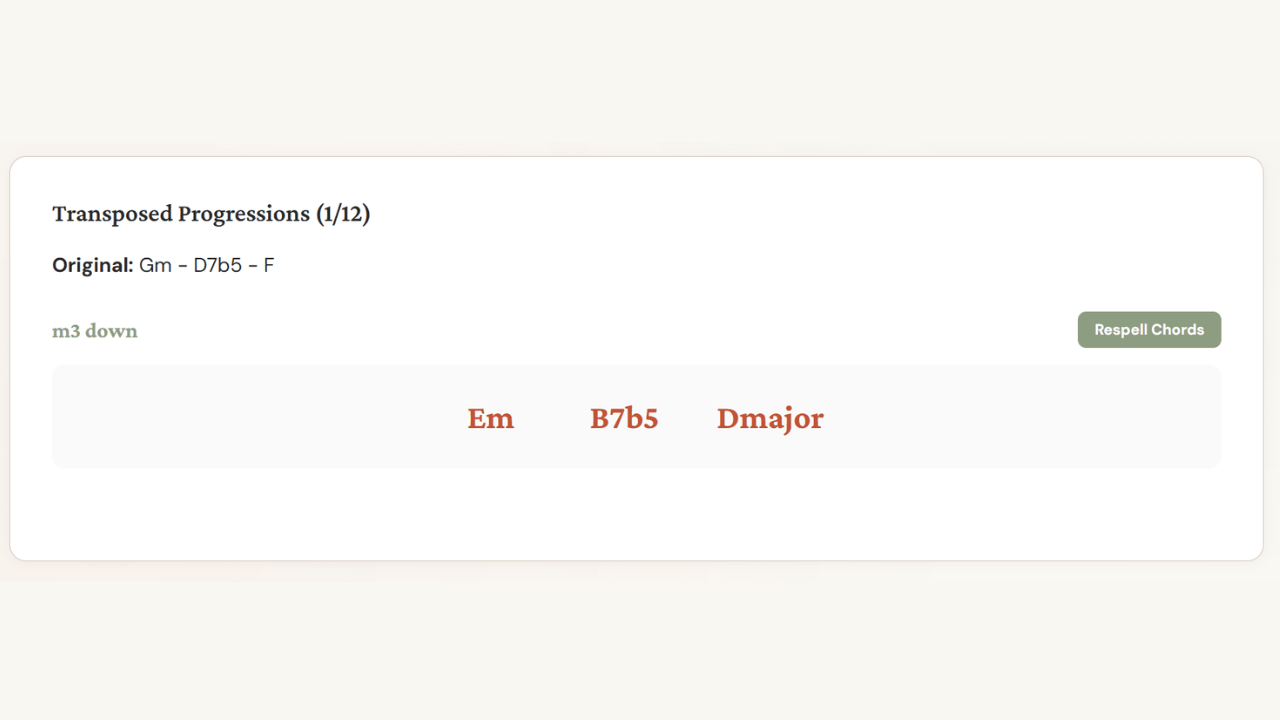
See your chords named in the new key
Click the "Respell chords" button to see an alternate spelling of your chords
You can transpose the same chord progression to up to 12 keys
Use On Any Device
Perfect For You If You
want an interactive way to learn and practice chords in all inversions
know how to play a group of notes but don't know what chord they make together
play chord-based music and want to transpose it to different keys
want to learn how one set of chords can correctly be called by different chord names
How You'll Use These Tools
Building chords and not sure if you got them right?

Click the notes on the keyboard. The Chord Transposition Wizard instantly identifies your chord, shows you alternative names (yes, the same notes can have different names), and tells you which inversion you're playing.
It's like having a theory teacher by your side all day, every day.
Learned your chords in C and ready to transpose them to other keys?
Transposing chords is one of those skills that takes practice.
Work out your answer first, then use the Chord Transposition Wizard to check it: enter your original chord, select your target key, and see if your transposition matches. When it doesn't, you'll catch exactly where you went wrong.
Found a song you love but it's in the wrong key for your voice or skill level?
Instead of rewriting everything by hand or guessing which key might work better, type your chord progression into the Chord Progression Transposer.
You can audition up to 12 different keys side-by-side, hear how each one sounds, and choose what works best for you.
Do you play and sing, but the sheet music you have sits too high or too low for your vocal range?
This is incredibly common. Published music doesn't come in all keys, and many song sheets in the written keys may not be a good fit for your voice.
Figure out the chords of the song, verify them with the Chord Transposition Wizard (especially helpful if you're learning to hear chords by ear), then plug the whole progression into the Chord Progression Transposer.
Try different keys until you find the one that fits your voice best.
One-Time Purchase
Lifetime Use
By visiting this page, you agree to Privacy Policy and Terms & Conditions.
© 2026 The Piano Keys